> ## Documentation Index
> Fetch the complete documentation index at: https://evalgate.com/docs/llms.txt
> Use this file to discover all available pages before exploring further.
# Run a Playground
> Compare prompt variants side by side on real cases.
# Run a Playground
The Playground lets you try prompt or model changes against real cases before
they touch production. It is the safe place to answer "would this change be
better?"
## Step 1 — Open a Playground
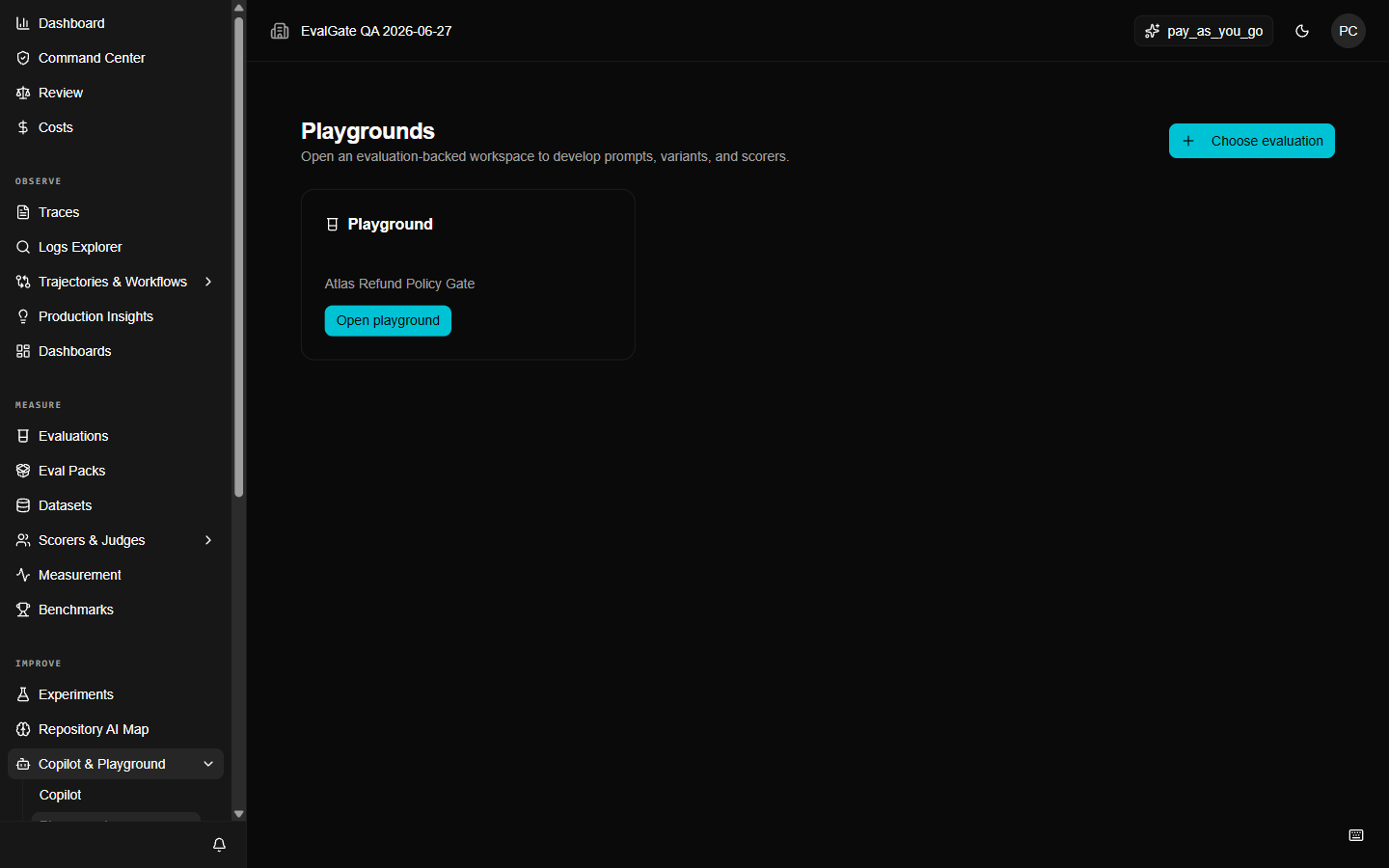
Open `/playgrounds`, then pick the evaluation you want to experiment on. The
Playground opens at `/evaluations/{id}/playground`.
 ## Step 2 — Add a baseline variant
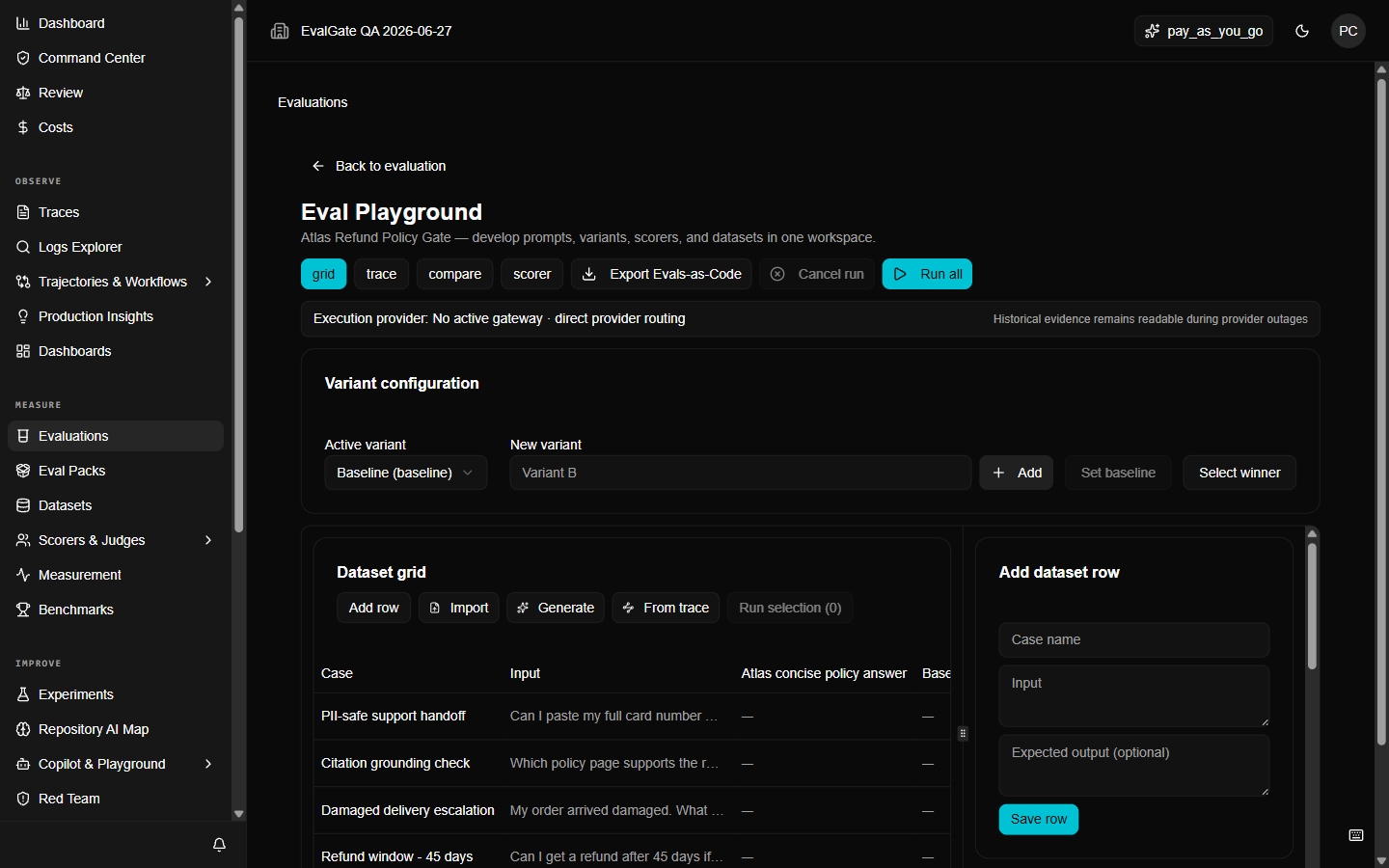
A Playground needs at least one **baseline** variant — the current production
prompt — to compare against. Add it first.
## Step 3 — Add a candidate variant
Create a new variant with your proposed change. Give it a label like
`shorter-system-prompt`. You can have several candidates at once.
## Step 2 — Add a baseline variant
A Playground needs at least one **baseline** variant — the current production
prompt — to compare against. Add it first.
## Step 3 — Add a candidate variant
Create a new variant with your proposed change. Give it a label like
`shorter-system-prompt`. You can have several candidates at once.
 ## Step 4 — Run the cases
Pick the cases to run on (a subset is faster), pick the scorer, and click **Run**.
Each row records the variant, case, scorer output, model-call reference, cost,
and terminal status.
A cancelled or partial run is **not** a verified winner. Re-run it before
trusting the comparison.
## Step 5 — Read the comparison
The comparison view shows each variant's pass rate, average score, and cost
against the baseline. Look for a candidate that is better on the metric you care
about without regressing the others.
## Troubleshooting
* **`provider_unhealthy` or `budget_exhausted`** — check the
[Model Gateway](../evalgate-101/connect-provider-key).
* **All variants score the same** — your scorer may not be sensitive to the
change. Try a different scorer or add cases that expose the difference.
* **A run is stuck** — cancel it. Cancellation is terminal; do not report a
cancelled run as success.
## Up next
[Pick a winner](./pick-winner) and turn it into the new baseline.
## Step 4 — Run the cases
Pick the cases to run on (a subset is faster), pick the scorer, and click **Run**.
Each row records the variant, case, scorer output, model-call reference, cost,
and terminal status.
A cancelled or partial run is **not** a verified winner. Re-run it before
trusting the comparison.
## Step 5 — Read the comparison
The comparison view shows each variant's pass rate, average score, and cost
against the baseline. Look for a candidate that is better on the metric you care
about without regressing the others.
## Troubleshooting
* **`provider_unhealthy` or `budget_exhausted`** — check the
[Model Gateway](../evalgate-101/connect-provider-key).
* **All variants score the same** — your scorer may not be sensitive to the
change. Try a different scorer or add cases that expose the difference.
* **A run is stuck** — cancel it. Cancellation is terminal; do not report a
cancelled run as success.
## Up next
[Pick a winner](./pick-winner) and turn it into the new baseline.