> ## Documentation Index
> Fetch the complete documentation index at: https://evalgate.com/docs/llms.txt
> Use this file to discover all available pages before exploring further.
# Publish and roll back a prompt
> Promote an approved version, then undo safely.
# Publish and roll back a prompt
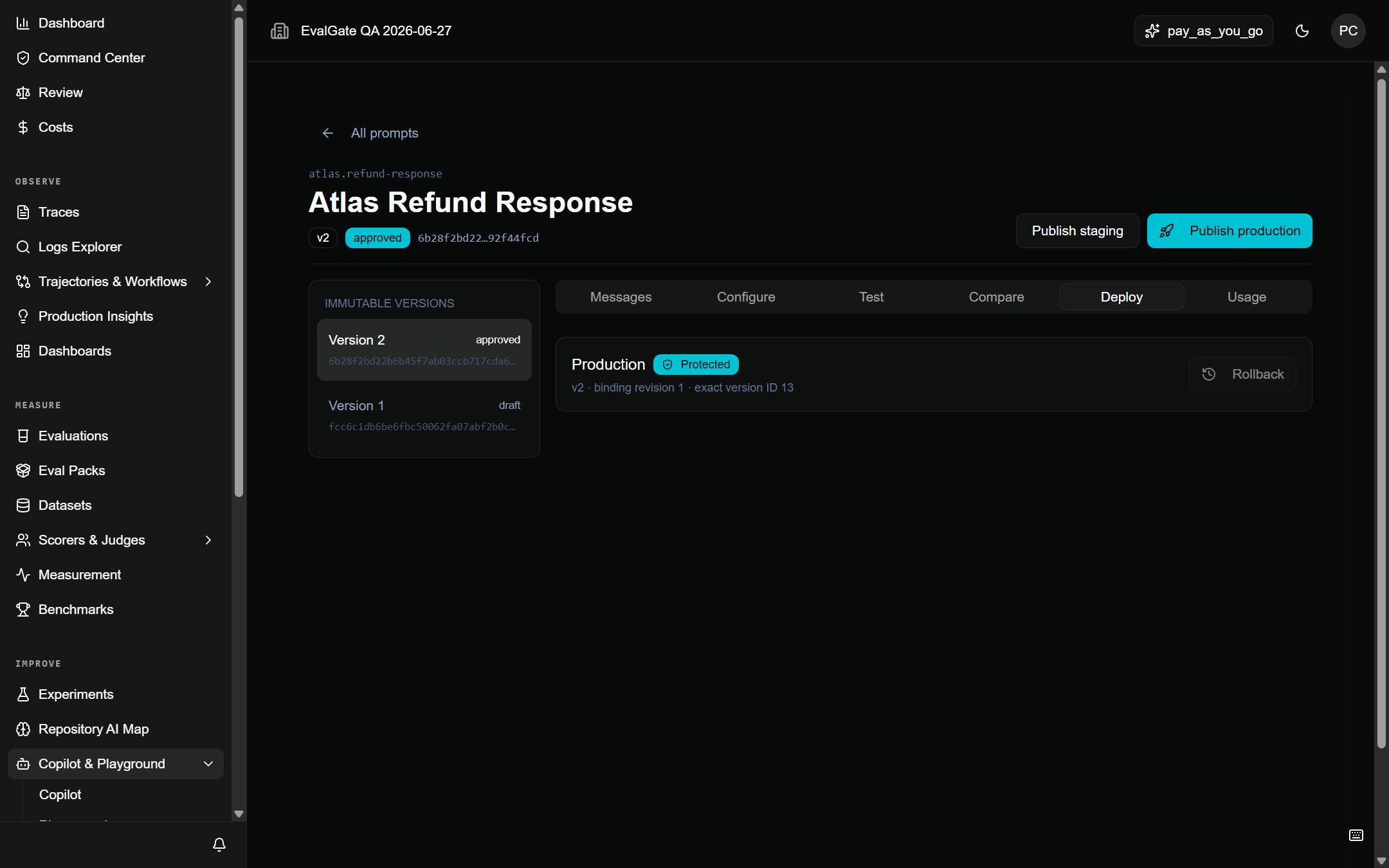
Protected environments resolve approved, exact versions. Rolling back means
pointing the alias at a previous approved version — never at a draft.
## Publish a version
1. Open the prompt and pick an approved version.
2. Click **Publish to environment**.
3. Choose the environment (for example, `production`).
4. Confirm. The alias now resolves that exact content hash.
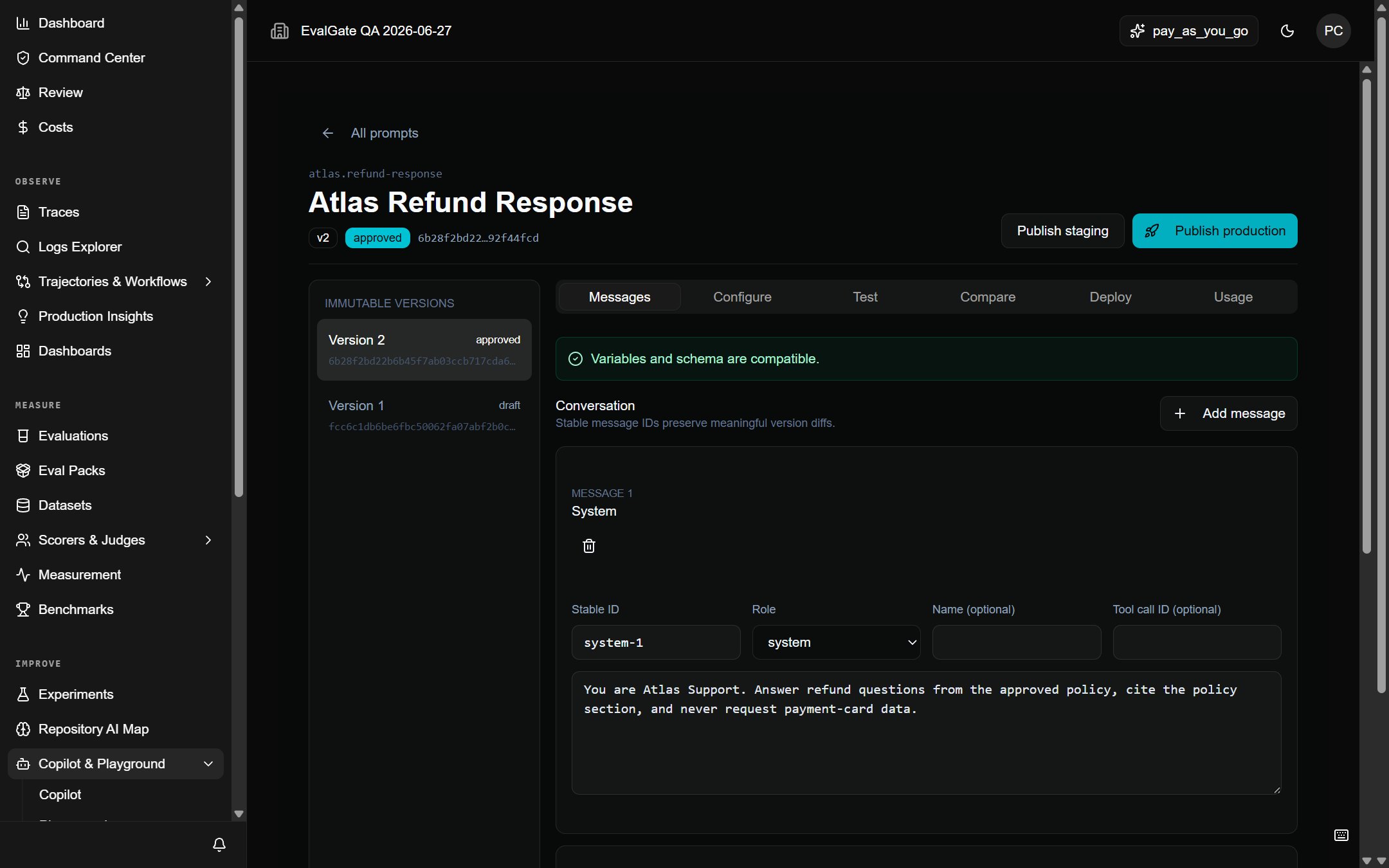 Publishing is append-only. The previous version stays in history and can be
re-pointed to at any time.
## Roll back
1. Open the prompt's **History** tab.
2. Find the last known-good version.
3. Click **Publish to environment** on that version.
4. Confirm. The alias now resolves the older version.
Publishing is append-only. The previous version stays in history and can be
re-pointed to at any time.
## Roll back
1. Open the prompt's **History** tab.
2. Find the last known-good version.
3. Click **Publish to environment** on that version.
4. Confirm. The alias now resolves the older version.
 ## What you cannot do
* You cannot edit a published version. Versions are immutable.
* You cannot point a protected alias at a draft.
* You cannot delete a version that a deployment, evaluation, or trace still
references.
## Up next
Build the scorer that decides pass/fail: [Create a scorer](../scorers/create-scorer).
## What you cannot do
* You cannot edit a published version. Versions are immutable.
* You cannot point a protected alias at a draft.
* You cannot delete a version that a deployment, evaluation, or trace still
references.
## Up next
Build the scorer that decides pass/fail: [Create a scorer](../scorers/create-scorer).